Withdrawing Funds from the Account
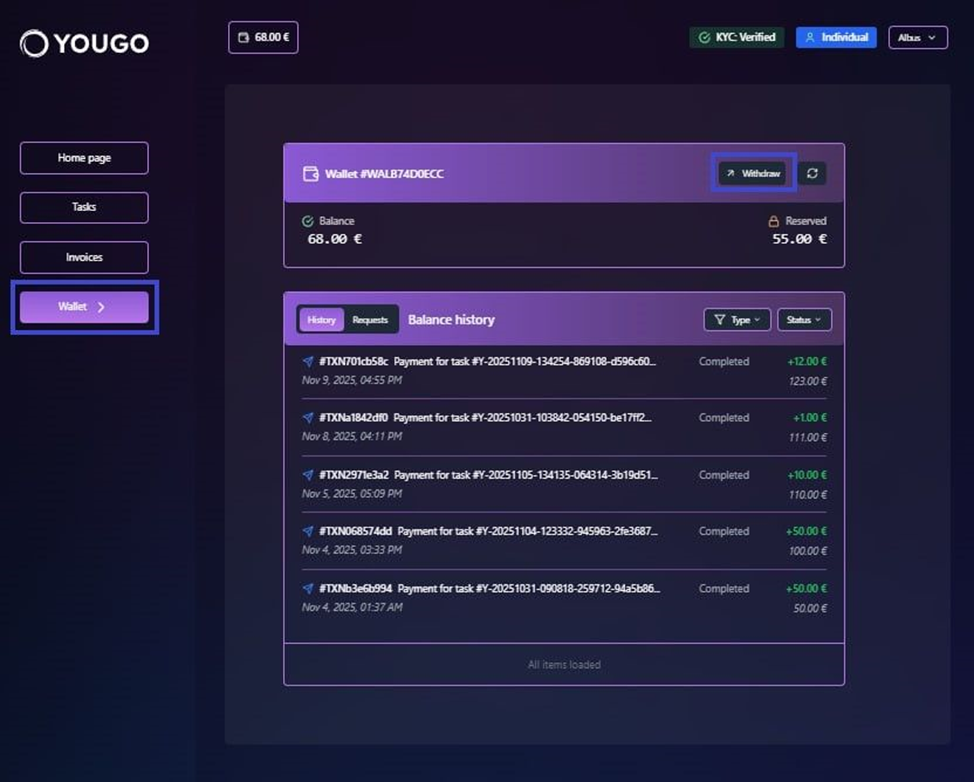
To transfer funds from the platform wallet, open the corresponding section in the navigation panel and select “Withdraw”.
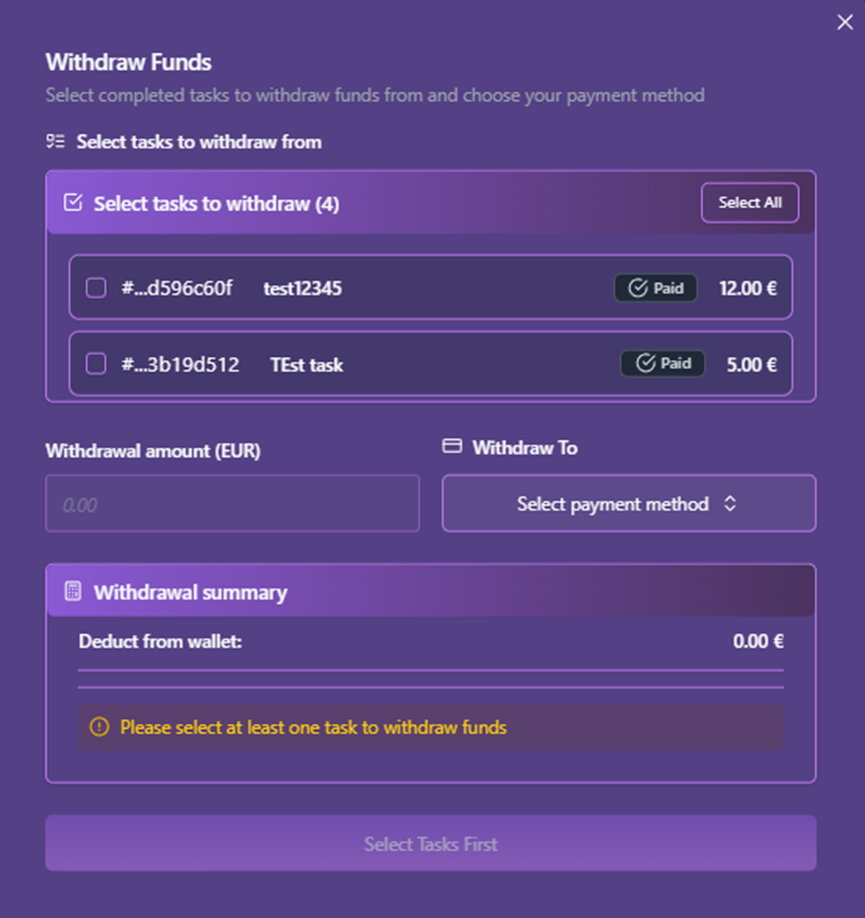
A modal window will appear where the user must select:
-
The task for which the payment should be withdrawn
-
The withdrawal method (dropdown list)
-
The amount to withdraw
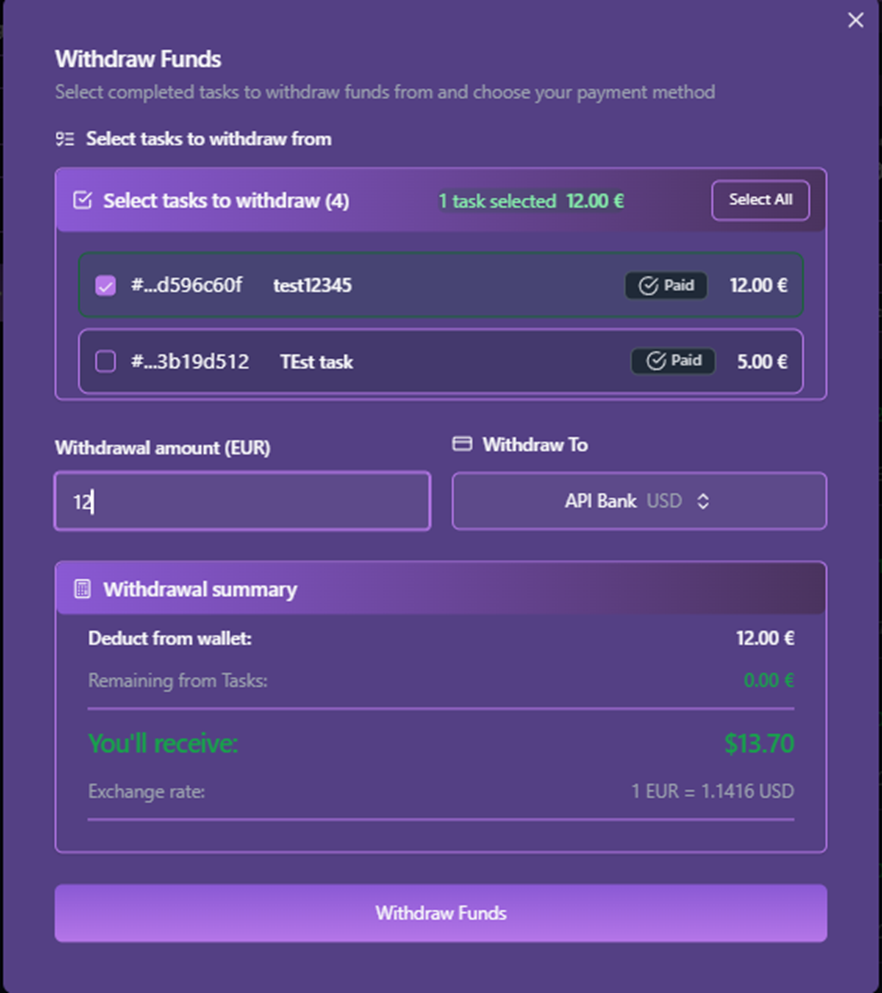
After filling in the required fields, detailed information will be displayed in the “Withdrawal summary” block, including currency exchange rate data.
To complete the operation, click “Withdraw Funds”.