Where I can find my payout instruments?
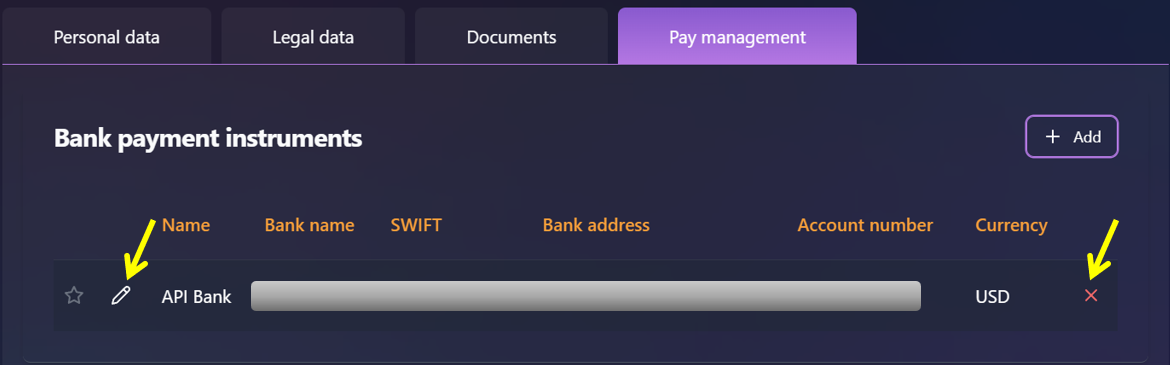
To view or manage your payout instruments, go to the Home page from the navigation panel, then select the Pay Management tab.
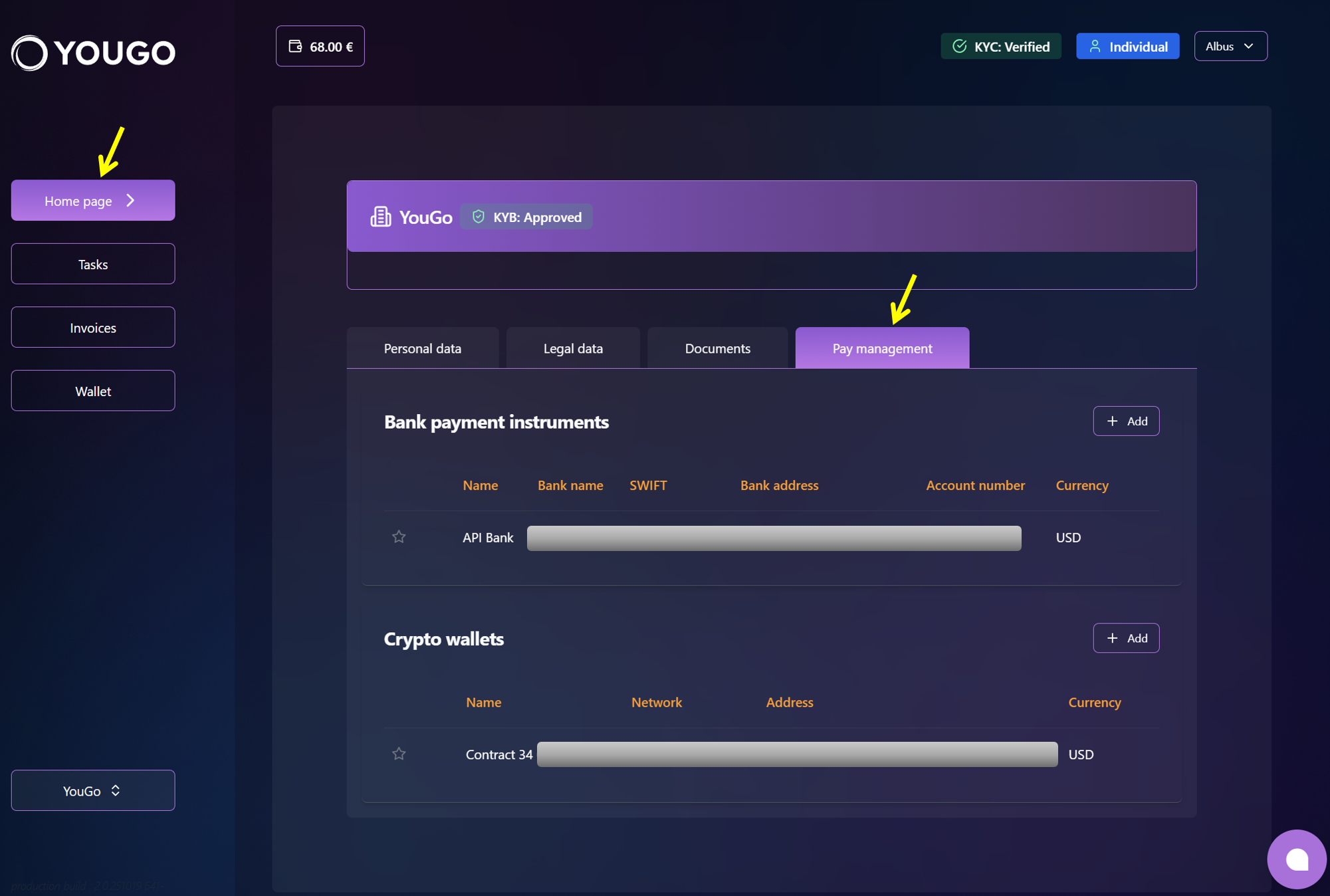
On this page, you’ll see all connected payout methods, including:
-
Bank accounts
-
Crypto wallets
How to add a bank account as a payout method?
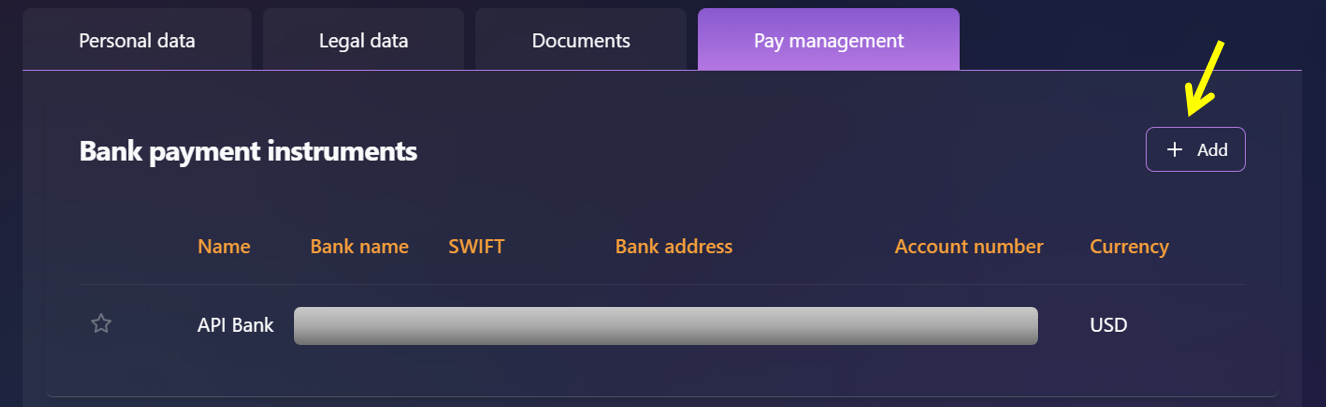
To add a bank account as a payout method, click “Add” in the corresponding section
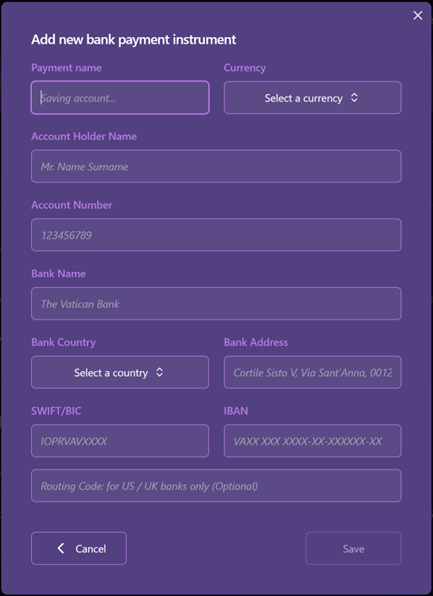
A modal window will appear where you can enter all the required details. Once all required fields are filled in, the “Save” button becomes active. After saving, the new payment instrument will be displayed in the list.
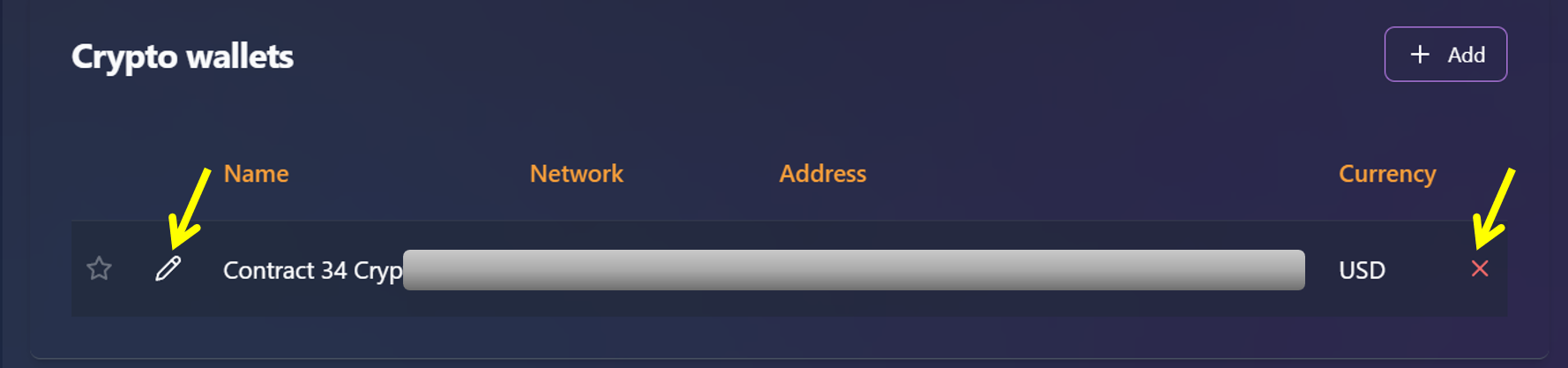
To edit an existing payment instrument, hover over it and click the pencil icon. To delete it, hover over the item and click the cross icon. A confirmation dialog will appear - select “Yes” to remove the payout method or “No” to cancel the action.
How to add a crypto wallet as a payout method?
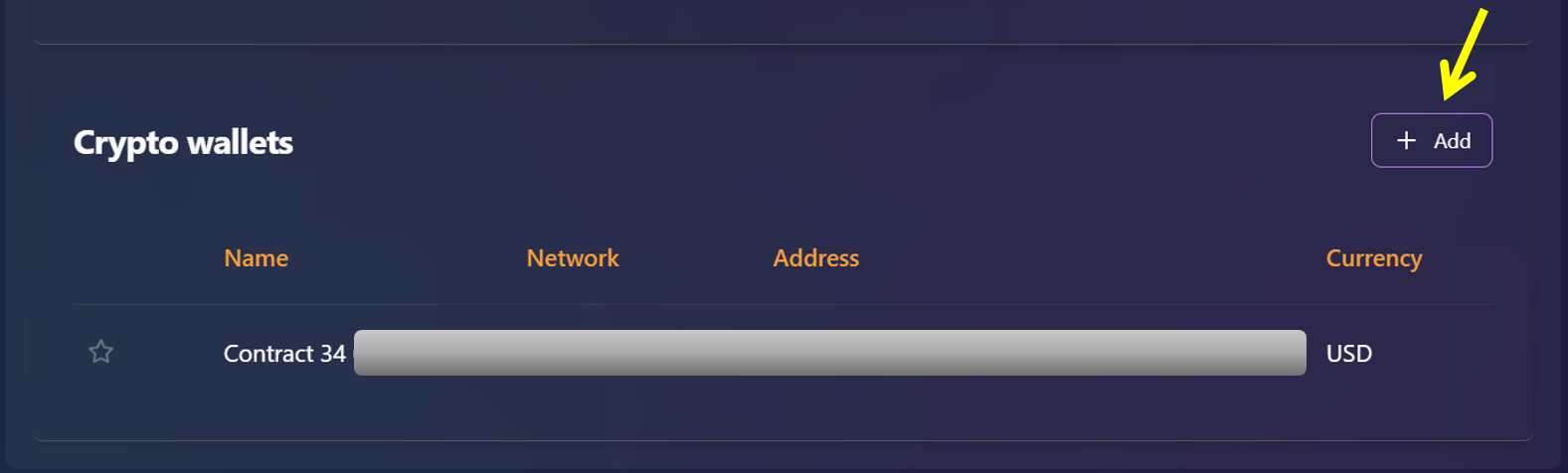
To add a crypto wallet as a payout method, click “Add” in the corresponding section
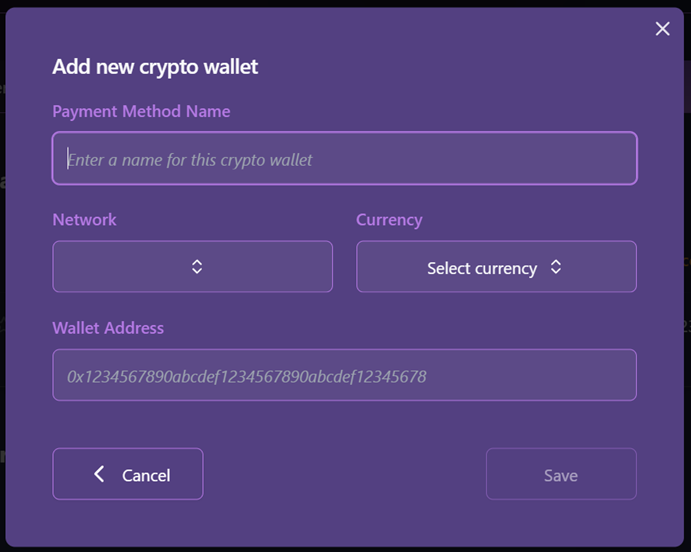
A modal window will open where the user must enter the required data. Once all fields are completed, the "Save" button will become available. After saving, the new payment instrument will be displayed in the list.
To edit an existing crypto wallet, hover over it and click the pencil icon. To delete it, hover over the item and click the cross icon. A confirmation dialog will appear - select “Yes” to remove the payout method or “No” to cancel the action.